
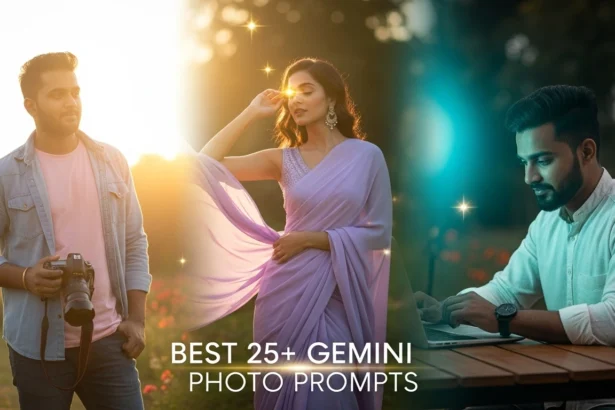
In 2025, Gemini AI photo editing prompts have completely transformed how creators, photographers, and influencers enhance their images. With just a few descriptive words, Gemini AI can turn an ordinary photo into a professional, cinematic, or artistic masterpiece—without needing advanced Photoshop skills.
- What Is Gemini AI, and Why Is It Perfect for Photo Editing?
- How to Use Gemini AI Photo Editing Prompts
- Best 25+ Gemini AI Photo Editing Prompts
- 1. Portrait & Fashion Prompts
- 2. Nature & Landscape Prompts
- 3. Street & Urban Prompts
- 4. Creative & Artistic Prompts
- 5. Product & Brand Prompts
- Tips for Writing Better Gemini AI Photo Editing Prompts
- Common Mistakes to Avoid
- Conclusion
Whether you’re editing a portrait, landscape, or creative concept, using the right Gemini AI prompts is the secret to achieving studio-quality results in seconds. In this article, we’ll explore the best 25+ Gemini AI photo editing prompts that you can use today to bring your images to life.
What Is Gemini AI, and Why Is It Perfect for Photo Editing?
Gemini AI is Google’s next-generation multimodal AI that understands text, images, and visual details together. When it comes to photo editing, Gemini AI uses smart prompt-based commands to apply effects like lighting correction, background enhancement, skin retouching, and style transformation.
Why photographers love Gemini AI:
- Produces professional-quality results without manual tools
- Saves time with instant edits
- Understands natural language—no technical jargon needed
- Perfect for content creators, social media influencers, and e-commerce brands
With Gemini AI, all you need is the right prompt—and the magic happens automatically.
How to Use Gemini AI Photo Editing Prompts
Follow these simple steps to start editing like a pro:
- Open Gemini AI workspace (via web or app version).
- Upload your image—portrait, travel shot, or product photo.
- Enter your descriptive prompt (e.g., “add soft studio lighting and smooth skin”).
- Wait for AI to process—usually just a few seconds.
- Review and fine-tune the results until you’re satisfied.
Pro Tip: Always include details like lighting style, mood, color tone, and environment in your prompt for more accurate results.
Best 25+ Gemini AI Photo Editing Prompts
Let’s dive into the most effective and creative Gemini AI photo editing prompts for 2025.
You can tweak these based on your photo’s subject and style.
1. Portrait & Fashion Prompts
1. Studio-Quality Portrait
Prompt:
“Enhance this portrait with soft studio lighting, smooth skin tone, and DSLR-level sharpness. Adjust brightness evenly and keep the background slightly blurred for a professional studio look.”Effect: Gives a clean, glowing, high-quality studio vibe—perfect for profile photos or headshots.
2. A cinematic fashion look
Prompt:
“Add cinematic shadows and glossy highlights to make this portrait look like a fashion magazine cover. Keep skin texture natural, add depth to hair, and balance contrast for a bold editorial style.”Effect: Vogue-style fashion look—ideal for model shots or Instagram edits.
3. Natural Skin Retouching
Prompt:
“Retouch the face to remove blemishes and uneven tone, keeping it natural and realistic. Add subtle brightness around the eyes and lips for a fresh, glowing appearance.”Effect: Smooth yet realistic—maintains natural charm while enhancing features.
4. Golden Hour Portrait
Prompt:
“Add golden-hour sunlight with warm highlights and soft shadows. Make the image look dreamy with slightly enhanced skin glow and gentle background bokeh.”Effect: Perfect for outdoor photos—warm, romantic tone.
5. Urban Street Fashion
Prompt:
“Enhance this street portrait with a cool, desaturated background and warm skin tones. Add cinematic contrast and light flares to create an urban fashion aesthetic.”Effect: Adds a bold, stylish tone for lifestyle or influencer shots.
2. Nature & Landscape Prompts
6. Vibrant HDR Landscape
Prompt:
“Enhance this landscape with HDR lighting, rich greens, deep blues, and clear cloud details. Add subtle sharpness for DSLR-like clarity.”Effect: Makes nature photos pop—ideal for travel photographers.
7. Dreamy Sunrise
Prompt:
“Add early morning sunlight with orange and pink hues across the sky. Slightly enhance shadows for depth and keep foreground details crisp.”Effect: Peaceful, sunrise glow with realistic colors.
8. Monsoon Mood
Prompt:
“Turn this photo into a dramatic monsoon scene with dark clouds, a misty atmosphere, and reflective wet surfaces. Keep saturation balanced for a cinematic rain effect.”Effect: Rainy, dramatic tone—great for Indian monsoon photos.
9. Cinematic Mountain Scene
Prompt:
“Add cinematic lighting and color grading for a mountain landscape. Increase depth, enhance shadow contrast, and add soft haze in the distance.”Effect: Gives an epic, film-like atmosphere—ideal for travel shots.
10. Twilight Evening
Prompt:
“Convert this image into a twilight scene with a deep blue sky, soft street lights, and calm ambiance. Maintain natural shadows and reflections.”Effect: Cool-toned, relaxing evening vibe.
3. Street & Urban Prompts
11. Neon Night Scene
Prompt:
“Add neon pink and blue lighting to buildings and reflections. Create a cinematic Tokyo-night look with wet street surfaces and glowing signs.”Effect: Perfect for city life or creative night photography.
12. Sharp Urban Contrast
Prompt:
“Enhance shadows and midtones for strong contrast. Keep edges sharp and add light reflections for a crisp, professional DSLR look.”Effect: Makes everyday street scenes feel cinematic and powerful.
13. Moody Rain Vibes
Prompt:
“Add soft rain, reflections, and moody lighting for a dramatic street photo. Keep the subject clear while enhancing reflections on the ground.”Effect: Great for emotional or creative urban edits.
14. Vintage City Look
Prompt:
“Convert this city photo into a vintage 90s film look. Add slight grain, muted tones, and soft warm highlights.”Effect: Nostalgic and artistic.
15. Cinematic Street Light
Prompt:
“Add realistic street light glow with warm yellow tones. Enhance subject contrast and give depth using natural shadow gradients.”Effect: Gives a film still-like realism—great for portrait and street mixes.
4. Creative & Artistic Prompts
16. Watercolor Art
Prompt:
“Convert this image into a digital watercolor painting with brush texture, soft edges, and vibrant but balanced colors.”Effect: Turns photos into artistic masterpieces.
17. Cyberpunk Glow
Prompt:
“Add futuristic purple-blue lighting, city reflections, and neon glow around objects. Keep faces detailed and sharp for a sci-fi vibe.”Effect: Futuristic city feel—stylish for creatives.
18. Vintage Film Look
Prompt:
“Apply a retro film tone with light grain, faded shadows, and a soft brownish tint. Slightly blur the edges for a nostalgic touch.”Effect: Perfect for storytelling and vintage-inspired photos.
19. Fantasy Light Rays
Prompt:
“Add golden fantasy light rays behind the subject with glowing particles in the air. Keep lighting balanced and dreamy.”Effect: Magical, fairytale look—ideal for portrait art.
20. Cinematic Poster Style
Prompt:
“Enhance lighting, add dramatic shadows, and bold contrast. Create a movie-poster-style photo with vivid tones and clarity.”Effect: Turns any image into a film-styled visual.
5. Product & Brand Prompts
21. E-commerce Perfection
Prompt:
“Make this product photo look professional with a white background, balanced shadows, and clear edges. Enhance colors to appear realistic yet premium.”Effect: Clean, Amazon-style product look.
22. Studio Lighting Product Shot
Prompt:
“Add diffused studio lighting with mild reflection on the surface. Sharpen product edges and add a light gradient background.”Effect: Ideal for catalog or luxury brand photos.
23. Lifestyle Product Display
Prompt:
“Place the product in a soft natural background with sunlight glow. Enhance focus and reduce noise for Instagram-ready posts.”Effect: Perfect for influencer or brand marketing.
24. Metallic Shine Enhancement
Prompt:
“Highlight metallic surfaces with soft reflection and natural shine. Balance exposure for a professional advertisement look.”Effect: Great for jewelry or electronic products.
25. Creative Advertisement Shot
Prompt:
“Add a gradient background, reflective shadows, and centered focus. Enhance color pop for attention-grabbing advertisement.”Effect: Perfect for modern brand banners.
Tips for Writing Better Gemini AI Photo Editing Prompts
To get the best results from Gemini AI, follow these prompt-writing tips:
- Be specific—describe lighting, tone, and mood.
- Use photography terms like “DSLR look,” “cinematic lighting,” or “soft focus.”
- Mention emotions—romantic, dreamy, bold, natural.
- Don’t overcomplicate—keep prompts short and clear.
- Experiment—try different wordings for creative variations.
Common Mistakes to Avoid
Even with a powerful tool like Gemini AI, avoid these prompt-writing mistakes:
- Using vague terms like “make it ”better”—too general.
- Adding too many details in one line.
- Forgetting to specify lighting or background.
- Ignoring image composition or aspect ratio.
Conclusion
The right Gemini AI photo editing prompts can turn your basic images into stunning visuals that look professionally edited. From cinematic portraits to Indian festive scenes, these detailed prompts help you express your creativity effortlessly.
So, start experimenting with these Gemini AI photo editing prompts today and discover how a few words can create magic in your photos.